CloseLine CRM
The whole showroom.One calm screen.
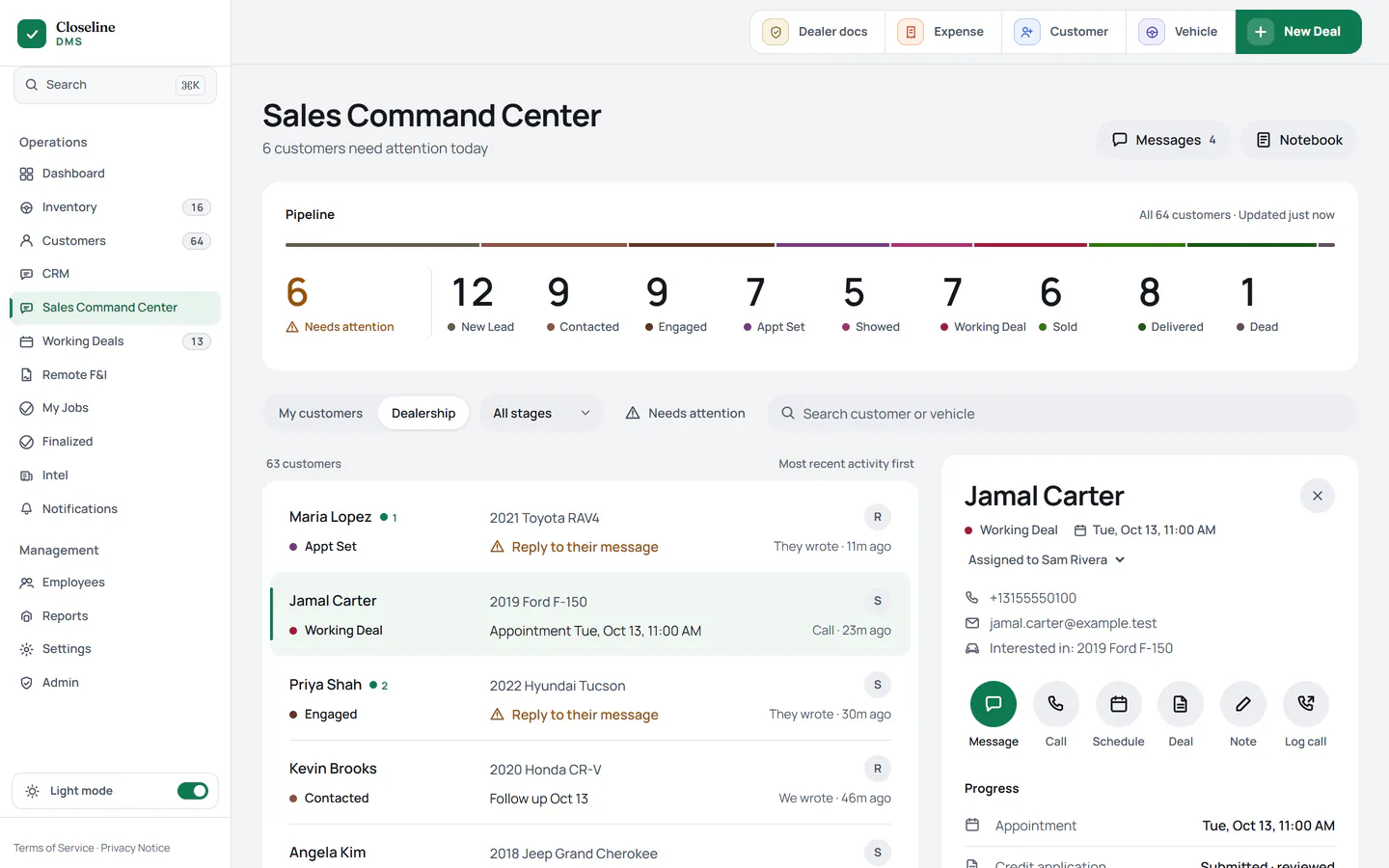
Every customer, text, call and deal, in the order they need you. Open it in the morning and you know exactly what to do first.
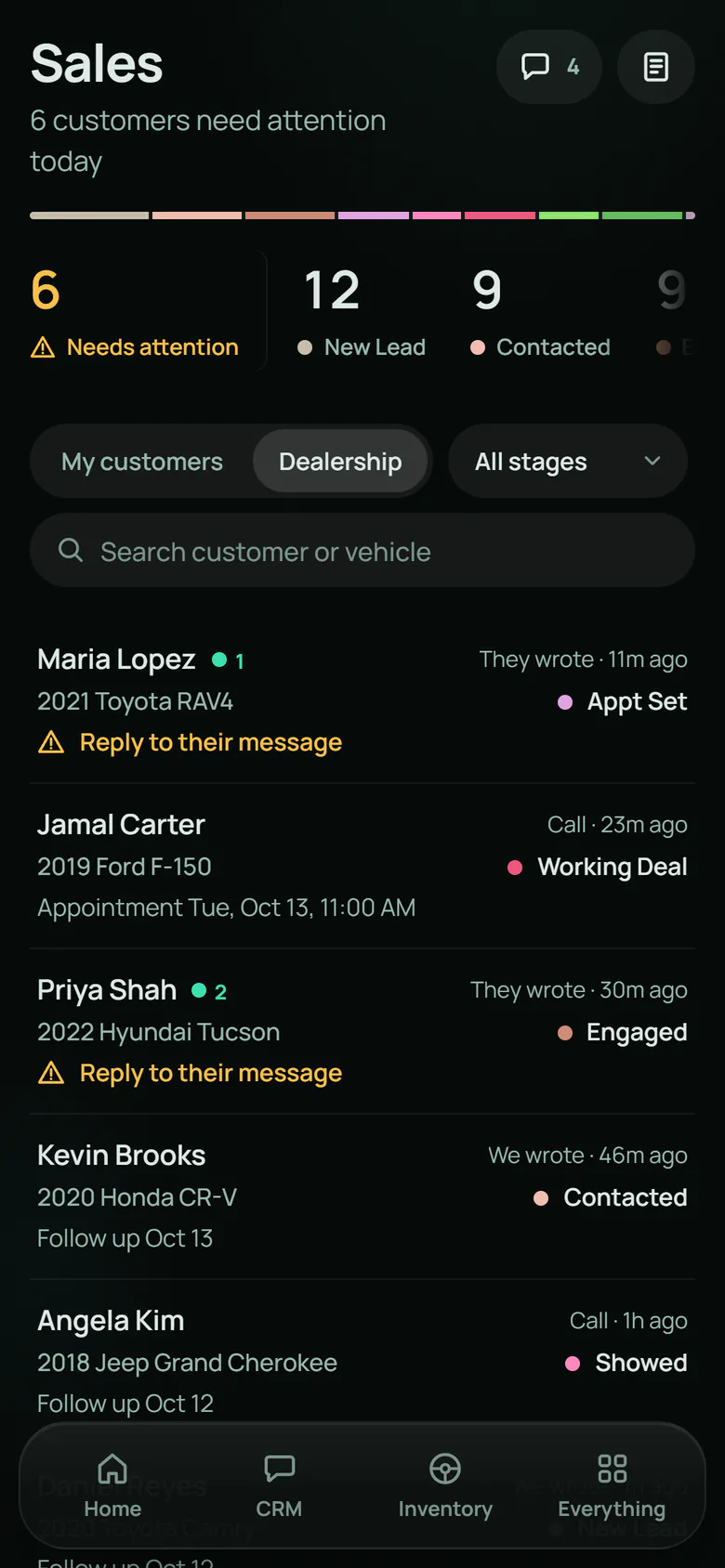
At a glance
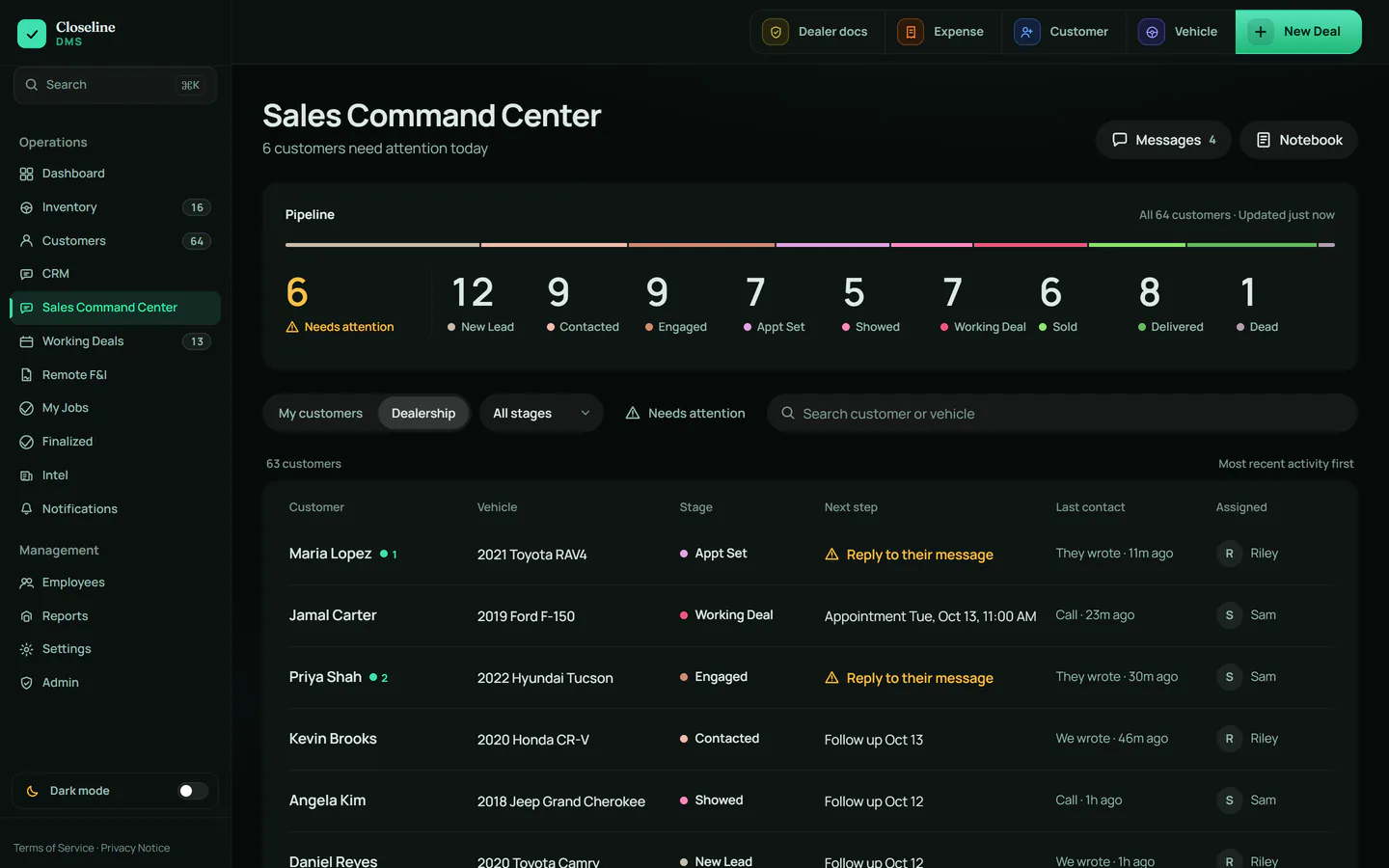
Your whole pipeline. One row.
From new lead to delivered, every stage has a count. The first number is the one that matters most: the customers who need someone today.

Needs attention means one of five plain facts
- Waiting on our reply
- Follow-up overdue
- Appointment needs an outcome
- Missed appointment
- No activity lately
No scores, no guesswork. Every row says why it is there.
One tap
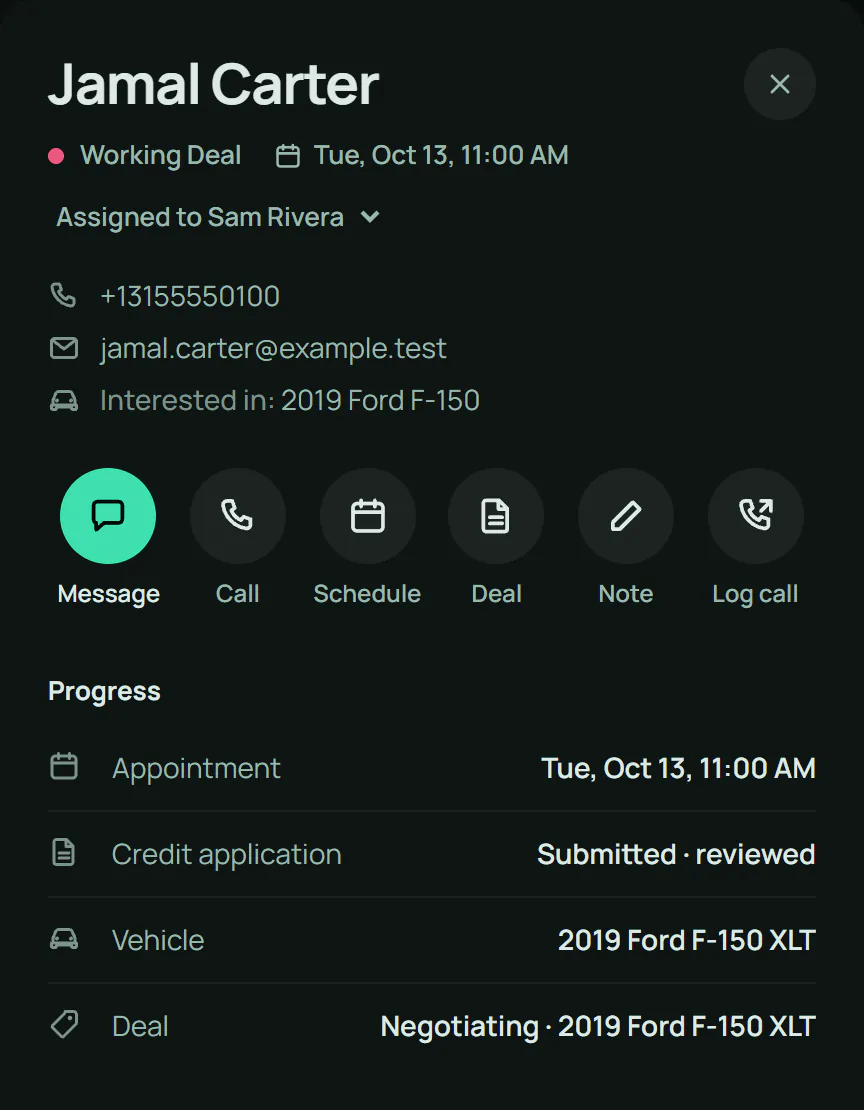
Pick a customer. Everything is right there.
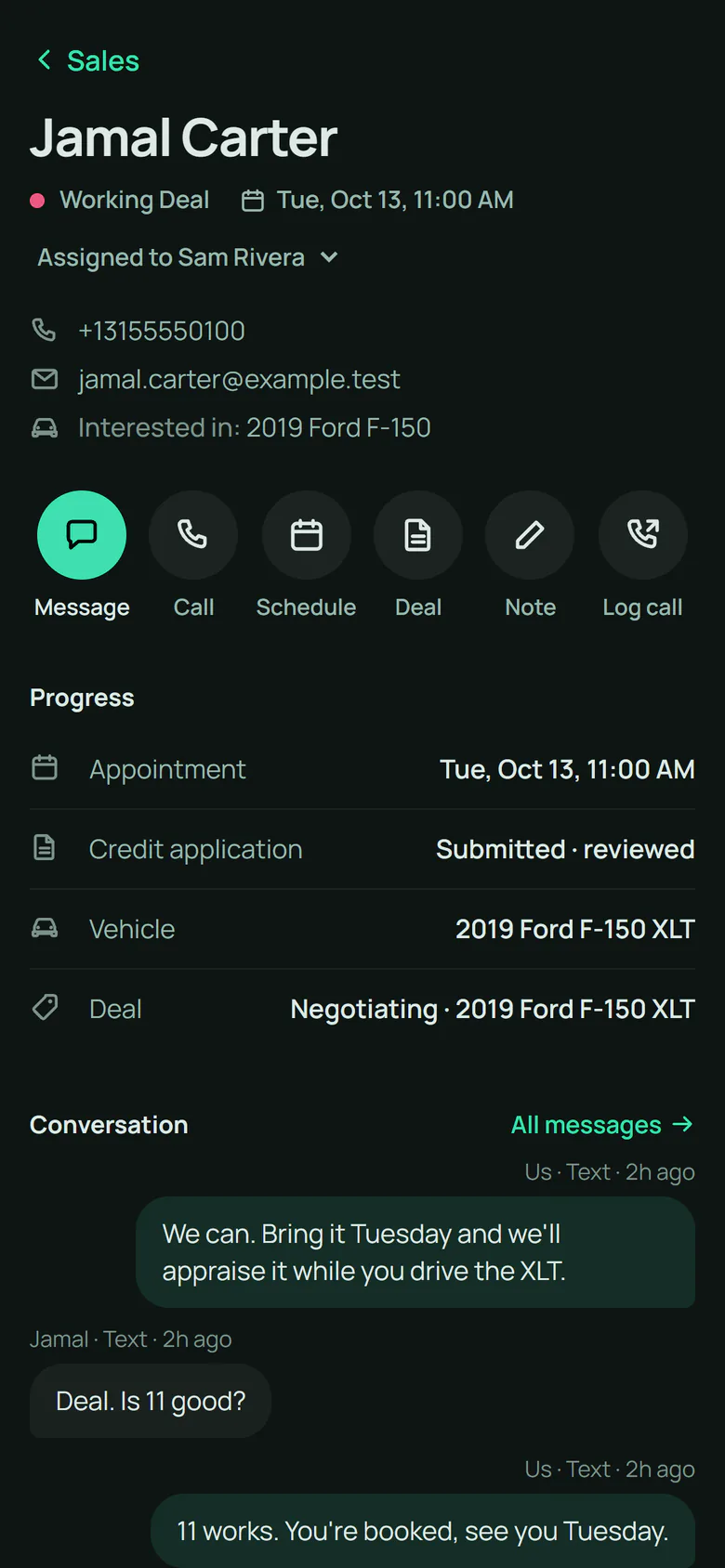
Their workspace opens beside the list. No new page, no lost place. Six actions, one tap each.
- Message
- Call
- Schedule
- Deal
- Note
- Log call
Progress shows where the sale stands: appointment, credit application, vehicle, deal. One look, no digging.
One inbox
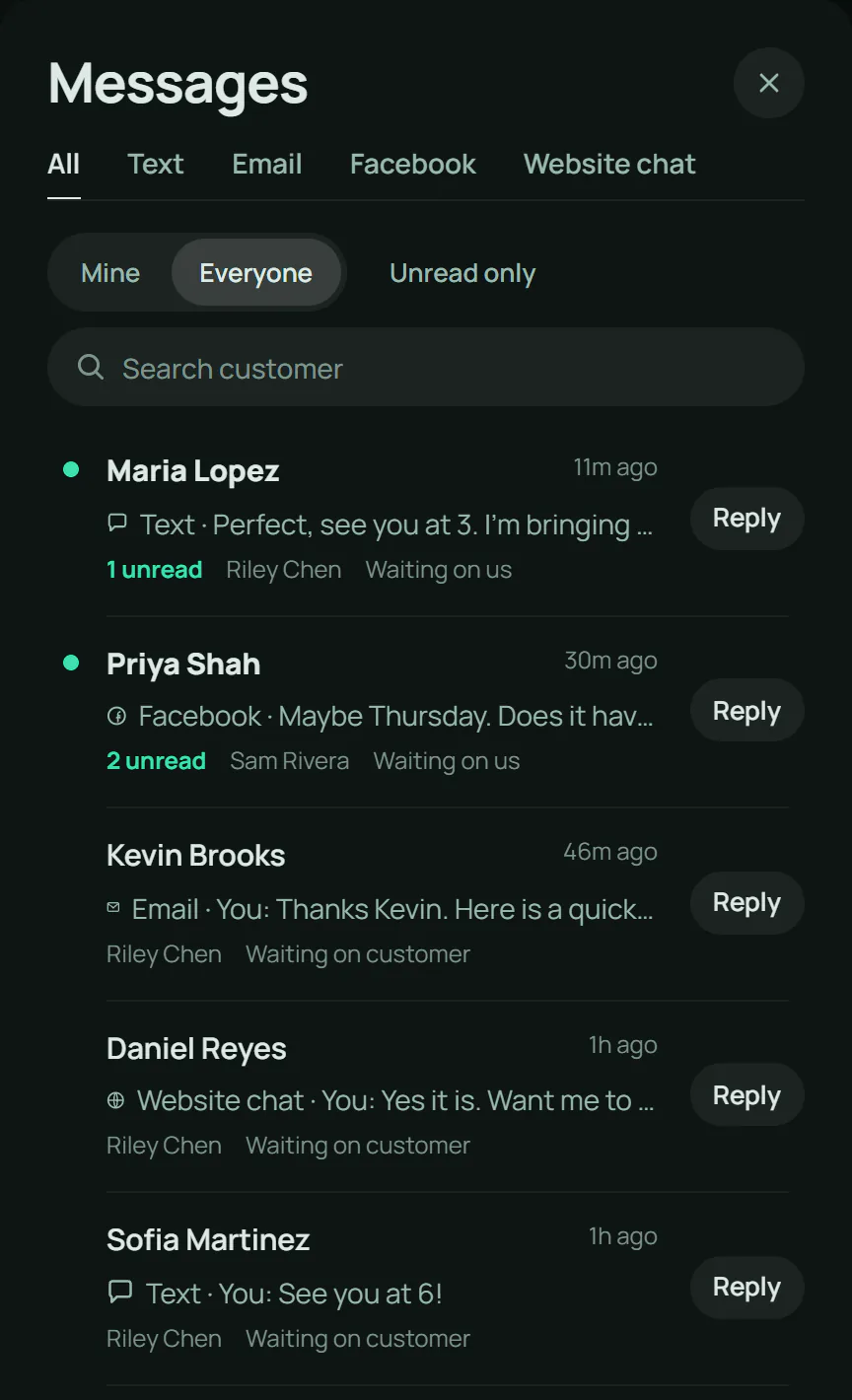
Every conversation. One place.
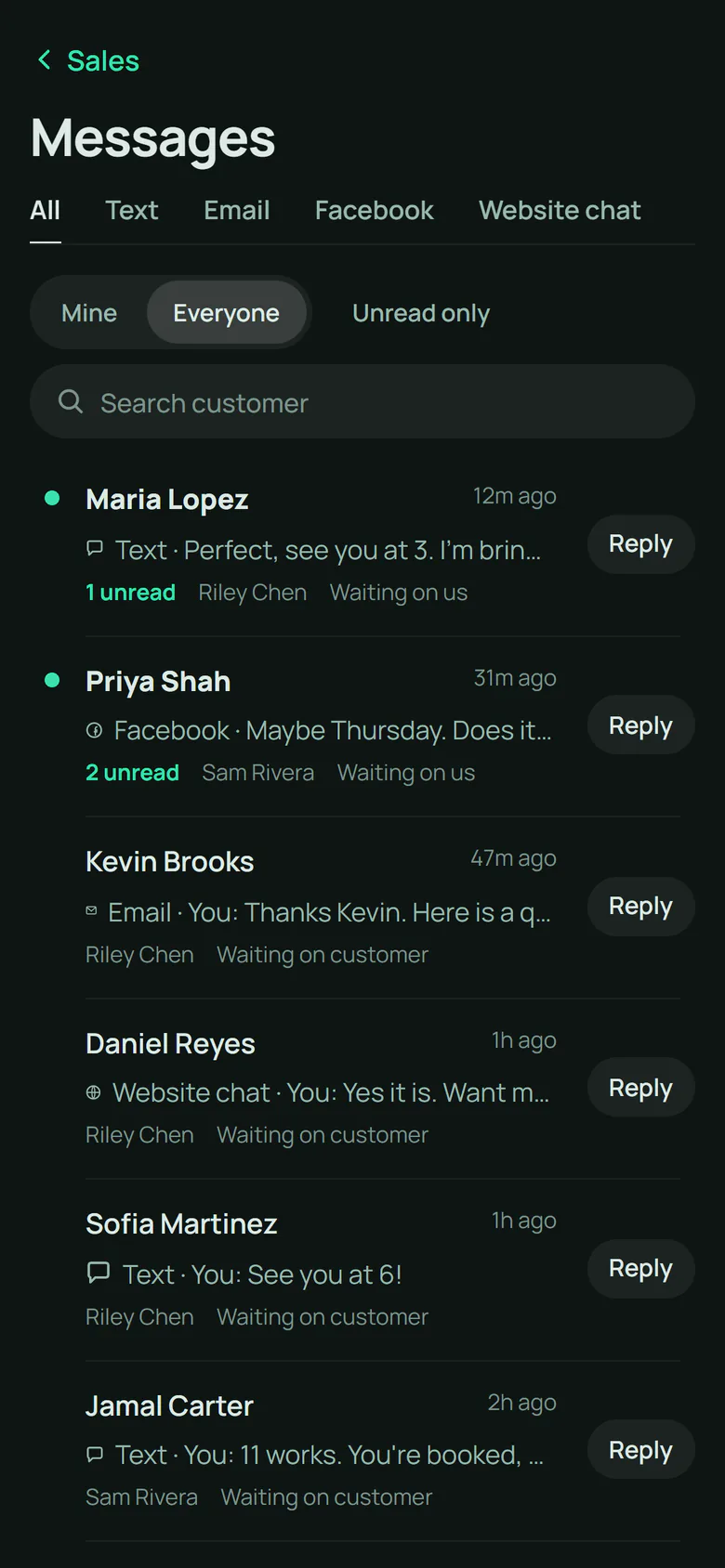
Texts, emails, Facebook messages and website chats land in one list, newest first. Each one says whose move it is: waiting on us, or waiting on the customer.
- Text
- Website chat
Nothing forgotten
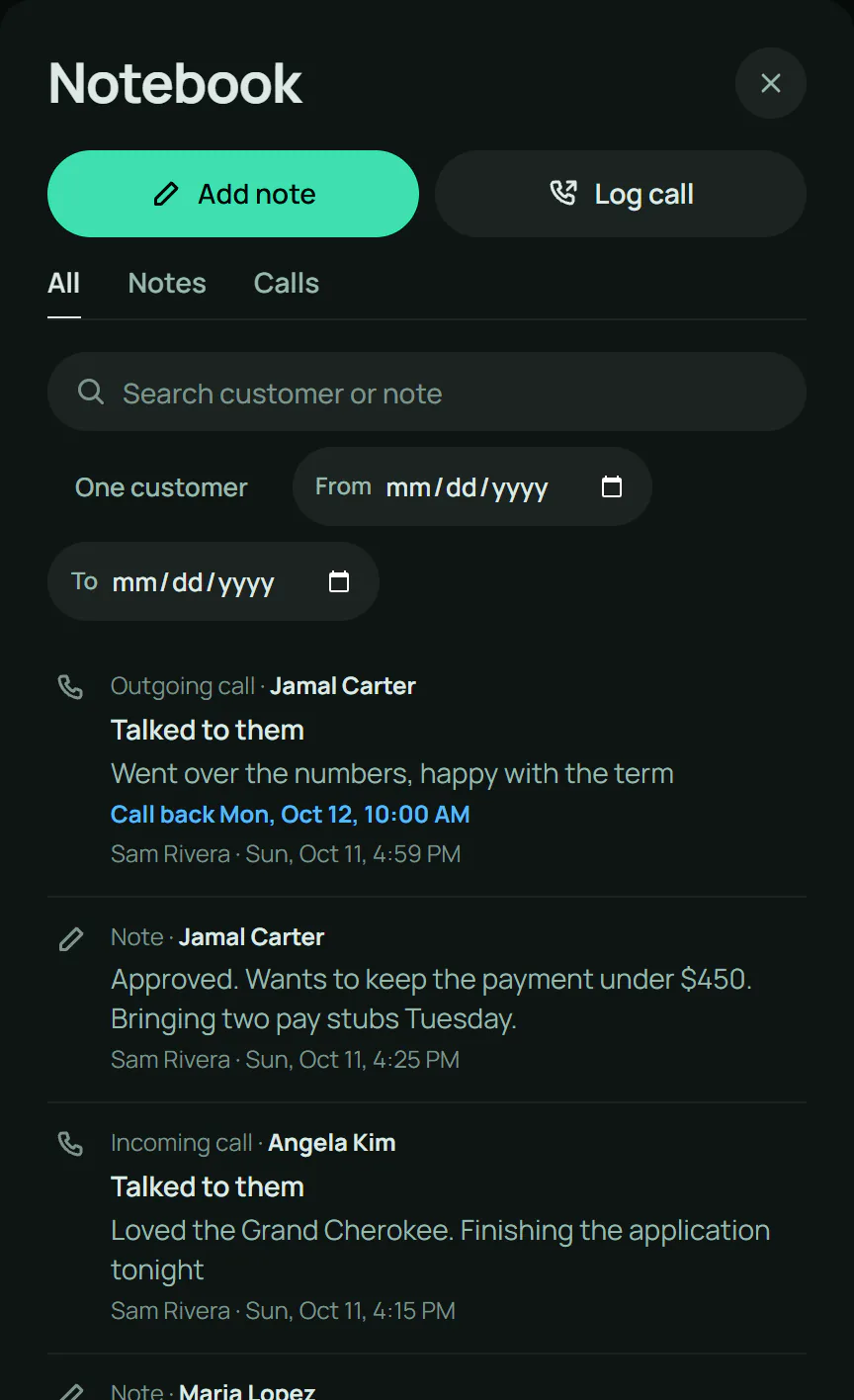
Every note. Every call. Every callback.
The Notebook keeps every note and call from the whole dealership in one timeline you can search. Log a call in seconds: who called, what happened, and when to call back.
Miss a follow-up and the customer moves into Needs attention. Nobody has to remember. The screen does.
Deals
Open the deal. Keep your place.
The deal desk opens right over the command center. It saves as you go. Press Back and you are exactly where you were: same list, same filter, same customer.

Built in
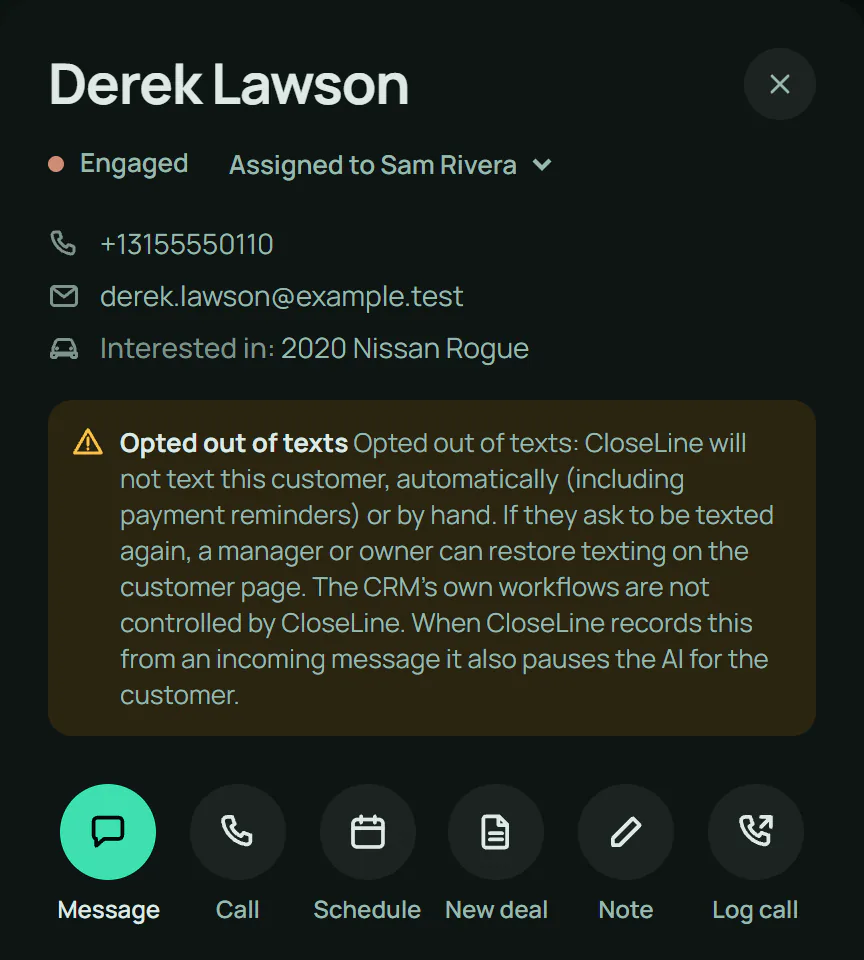
STOP means stop.
When a customer opts out, CloseLine stops texting them, automatically and by hand, and says so right on their workspace. Your team can still call. Nobody has to keep a list.
Where the AI assistant is turned on, Chris suggests the next reply. Nothing is sent until someone on your team approves it.
On your phone
The lot is not a desk.
The same command center fits in your pocket. Reply, call, log it and move on, from the front row or the service lane.
Day or night
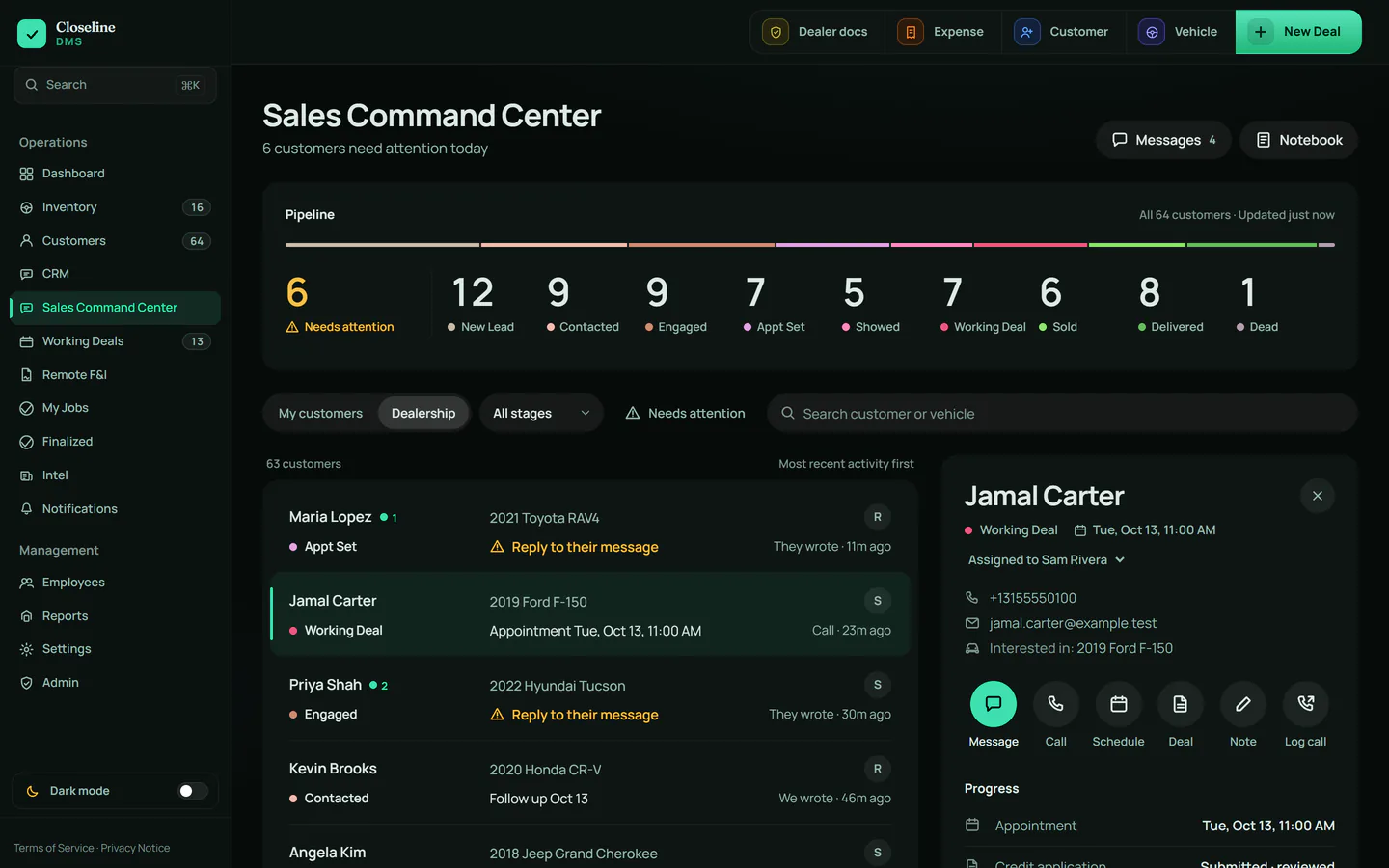
Easy on the eyes. Either way.
Light for the showroom floor. Dark for the late close. One switch.
Nothing complicated
Less to learn. Less to click.
A typical CRM
- Tabs inside tabs
- A separate inbox for every channel
- Call notes kept somewhere else
- The deal in another window
- A dashboard you have to decode
CloseLine
- One list, in the order customers need you
- One workspace per customer
- One inbox for every channel
- One notebook for every note and call
- The deal opens on top, and closes back
Know who needs you.Then go sell.
Book a demo and we will walk you through it, one screen at a time.